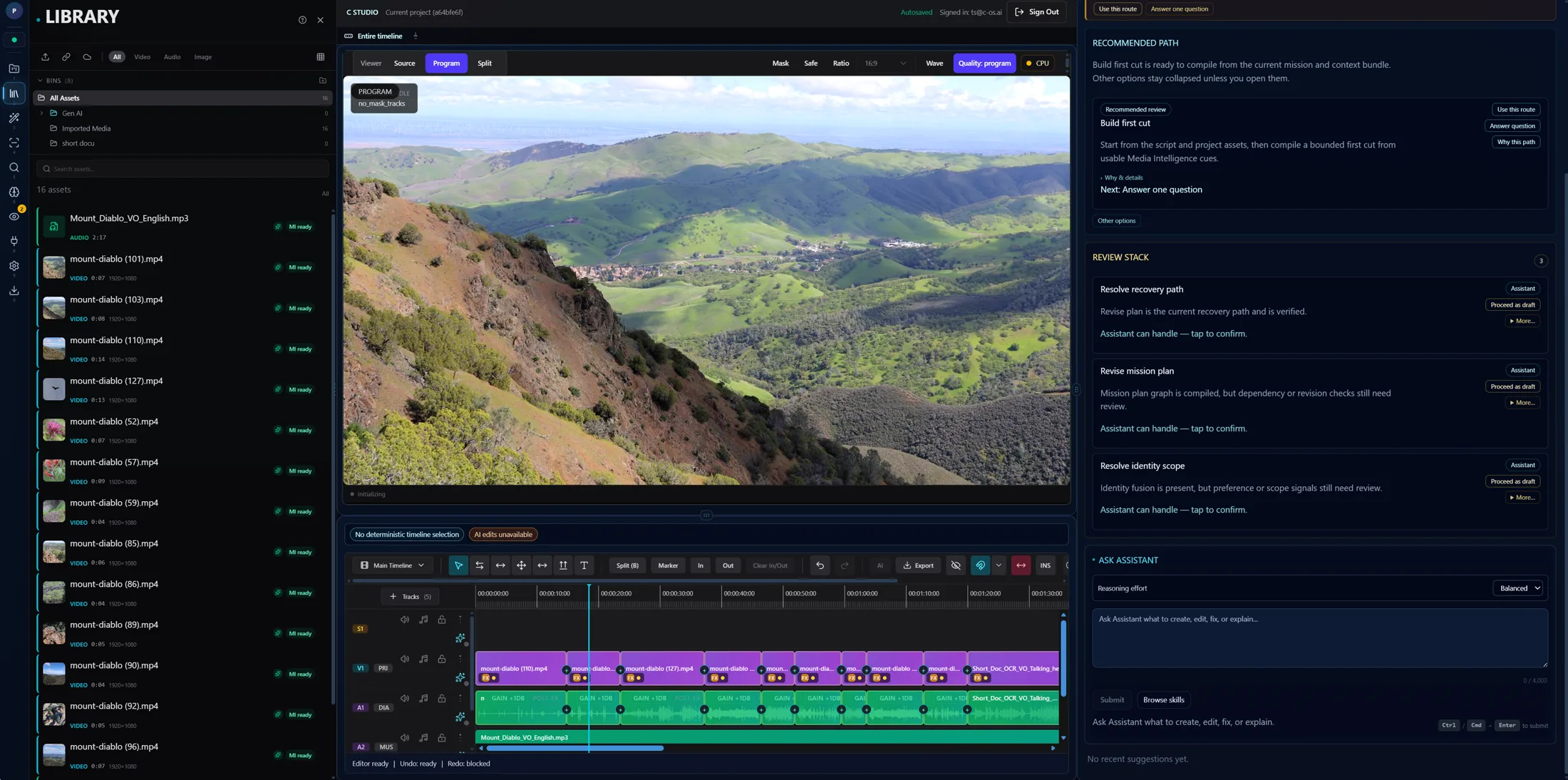
Timeline-native
Meaning-level edits land on a real timeline.
Studio turns intent into timeline change instead of pushing editors into disconnected prompt windows.
Studio
Studio turns story, pacing, continuity, dialogue, and delivery into reviewable timeline changes, with preview, apply, undo, and provenance built into the workflow.
Timeline-native editing
Meaning-level editing on a real timeline
Proof
A real editing surface, not a concept panel.
Engine
Sense stays behind every proposed edit.
Trust
Preview, approval, and undo are first-class.
What this page proves
This is not a chat toy dressed up as editing. It is AI-native editing inside the actual workflow.
Timeline-native
Studio turns intent into timeline change instead of pushing editors into disconnected prompt windows.
Reviewable by design
Preview, approval, rollback, and provenance sit at the point of edit, where trust actually matters.
Powered by shared context
Studio works because Sense reads story, timeline state, creator memory, and project truth before it proposes anything.
Before and after walkthrough
The workflow should feel precise, inspectable, and calm from start to finish.
01
Sense reads the current timeline, story state, and constraints before it proposes a move.
02
The editor sees a bounded before-and-after proposal before the approved timeline is touched.
03
Approved changes execute through a governed path that keeps history, authorship, and rollback intact.
04
The resulting state becomes the new project truth for everything that happens next.
Powered by Sense
Sense in Studio
Context stays in view before the edit lands
Platform context carries the work
Studio is where users feel the broader system discipline in practice.
Story
Rework beats, pacing, and emphasis without losing where the current cut stands.
Dialogue
Dialogue edits are proposed against the surrounding scene instead of as isolated transcript operations.
Continuity
Continuity problems are easier to catch when the system tracks narrative and timeline state together.
Proof next
See the workflow in motion first, then move into a guided discussion about your cut, your team, or your pilot fit.